Why Developers Love Minimalist and Dark Wallpapers: The Science Behind Visual Relief
Explains why developers prefer minimalist and dark wallpapers—reducing visual load, easing eye strain, and clarifying interface hierarchy—so screens support deep thinking instead of distracting from it.
When debugging a recursive crash late at night or rapidly switching between terminal windows, that subtle dark gray edge, a clean expanse of negative space, or even a pixel-perfect gradient shadow—these seemingly minor visual elements quietly shape your focus, eye strain, and the fluidity of your problem-solving thought. This isn’t just about aesthetic preference; it’s a decades-long physiological and cognitive co-evolution between programmers and their screens.
Visual Load: Your Brain’s Bandwidth Is Limited
Cognitive psychology’s Visual Load Theory states that human working memory has a strict upper limit on processing visual information. When backgrounds are high-contrast, highly saturated, richly textured, or animated, your brain still consumes resources to process them unconsciously—even if you’re not actively looking. This is called ‘passive visual processing overhead.’ A 2018 controlled study in the Journal of Experimental Psychology found software engineers using complex wallpapers made 23% more errors after 90 minutes of continuous coding—and reported significantly higher cognitive fatigue—compared to those using solid-color or minimalist wallpapers.
Minimalist wallpapers (e.g., single-tone gradients, fine-grain grayscale noise, geometric line compositions) actively ‘reduce dimensionality’ of visual input, compressing the background into something nearly ‘transparent.’ They don’t compete for attention, yet provide subtle spatial anchors: a centered thin line aids multi-window alignment; soft grayscale gently guides focus to the central editor pane in your IDE. This design philosophy resonates across media with the Unix principle: ‘Do one thing, and do it well.’
Dark Mode: Not Just Cool—It’s a Physiological Necessity
Dark wallpapers are often mistaken as mere style statements or battery-saving gimmicks—but in developer workflows, they deliver three irreplaceable benefits:
First, reduced pupillary stress. Switching from a bright desktop in a well-lit office to black-terminal-green-text at night forces rapid pupil contraction and dilation due to drastic ambient light shifts. A dark wallpaper establishes a consistent low-luminance visual baseline, allowing dark-mode IDEs, terminals, and browser DevTools to blend seamlessly—greatly lowering visual system regulation load. Ophthalmological research shows this consistency reduces dry eyes and glare by ~40% during nighttime coding (Optometry and Vision Science, 2021).
Second, enhanced interface layer perception. On deep gray (#121212) or charcoal black (#000000), VS Code’s active tab bar, Chrome’s address bar, or Terminal’s prompt gain stronger visual weight through natural luminance contrast. Your brain instantly recognizes ‘where to type’ and ‘where output appears’—a critical affordance in human-computer interaction.
Third, OLED screen physics optimization. For developers using MacBook Pro, Dell XPS, or premium Linux laptops, dark wallpapers let black pixels turn off completely—extending battery life and eliminating LCD’s inherent ‘washout,’ delivering true, immersive deep-space blacks no filter can replicate.
Minimal × Dark: The Design Wisdom of ‘Cognitive Silence’
The wallpapers most treasured by senior developers aren’t pure black or flat gray—they’re precisely tuned ‘warm-dark’ tones:
- Hue locked between 200°–220° (blue-gray bias): Minimizes warm-light interference, aligning with nocturnal melatonin rhythms;
- Luminance held at 8–12% (not absolute black): Prevents ‘visual floatiness’ while preserving screen-edge awareness;
- Subtle texture (2–5% linear noise or ultra-fine linen grain): Breaks up large uniform areas to prevent optical illusions and long-duration eye fatigue.
These wallpapers embody ‘cognitive silence’—they make no sound, yet let your thinking resonate more clearly. Like Vim’s :set cursorline, which highlights only the current line—not the whole page; like Git’s git log --oneline, which surfaces only essential info; minimalist dark wallpapers are an act of ‘information minimalism’ applied to your digital workspace.
Beyond Aesthetics: Wallpaper as Workflow Extension
Interestingly, many developers switch wallpapers by project phase: light gray + ultra-fine grid at kickoff (symbolizing structure building); deep-space blue + single white star during core module refactoring (signifying laser focus); pure black + faint terminal glow the night before launch (evoking critical concentration). Here, wallpaper transcends decoration—it becomes a silent ritual anchor, marking transitions in flow state.
At WallpaperSense, every programmer wallpaper pack undergoes three real-world tests:
- IDE Compatibility Testing: Ensures zero color shift for text and icons in VS Code, JetBrains suite, and Neovim GUI;
- Nighttime Circadian Alignment: All dark schemes pass f.lux spectral analysis—blue light peak intensity stays below the 450nm threshold;
- Multi-Monitor Consistency Calibration: Primary and secondary displays match precisely in color depth and tonal transition—no visible seams or mismatched gradients.
Next time you change your wallpaper, pause for one second: You’re not just choosing an image—you’re setting your brain’s breathing rhythm, reserving mental buffer space for deep focus, and offering yourself a quiet affirmation of professional dignity—because true efficiency has never lived in faster CPUs, but in quieter visual worlds.
Featured Wallpaper Packs

Oriental Landscape 8K Ultra HD Desktop Wallpaper Pack
4 serene Oriental landscape wallpapers in 8K Ultra HD resolution, designed exclusively for desktop use with immersive detail and tranquil composition.
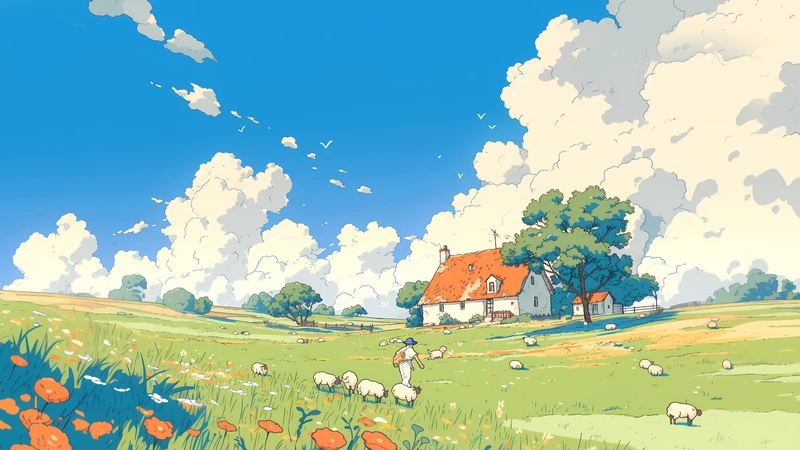
A0196-治愈插画 _ 宫崎骏风格
A0196-治愈插画 _ 宫崎骏风格

Seaside Stairs Summer Vacation Healing Scenery Wallpaper Pack 4K 8K Ultra HD
A serene seaside staircase scene with summer vacation vibes — calming, healing coastal scenery in 4K and 8K Ultra HD for smartphones, tablets, iPads, and desktops.
Related Articles
Seasonal Wallpaper Shifts for Student Emotional Well-Being
How seasonal wallpaper swaps help students stabilize mood, reduce academic stres...
How to Choose Coffee Ritual Wallpapers in 4 Steps
Match your desktop wallpaper to your coffee ritual in 4 intentional, sensory-dri...
How to Choose Weekend Coffee Wallpaper in 3 Steps
Match your weekend coffee ritual with a calming wallpaper in 3 mindful steps: tu...